
Incredible Blox Controls
Mouse, touch, gamepad, and VR all drag icons onto dummies — then mute, solo, or remove on hover.
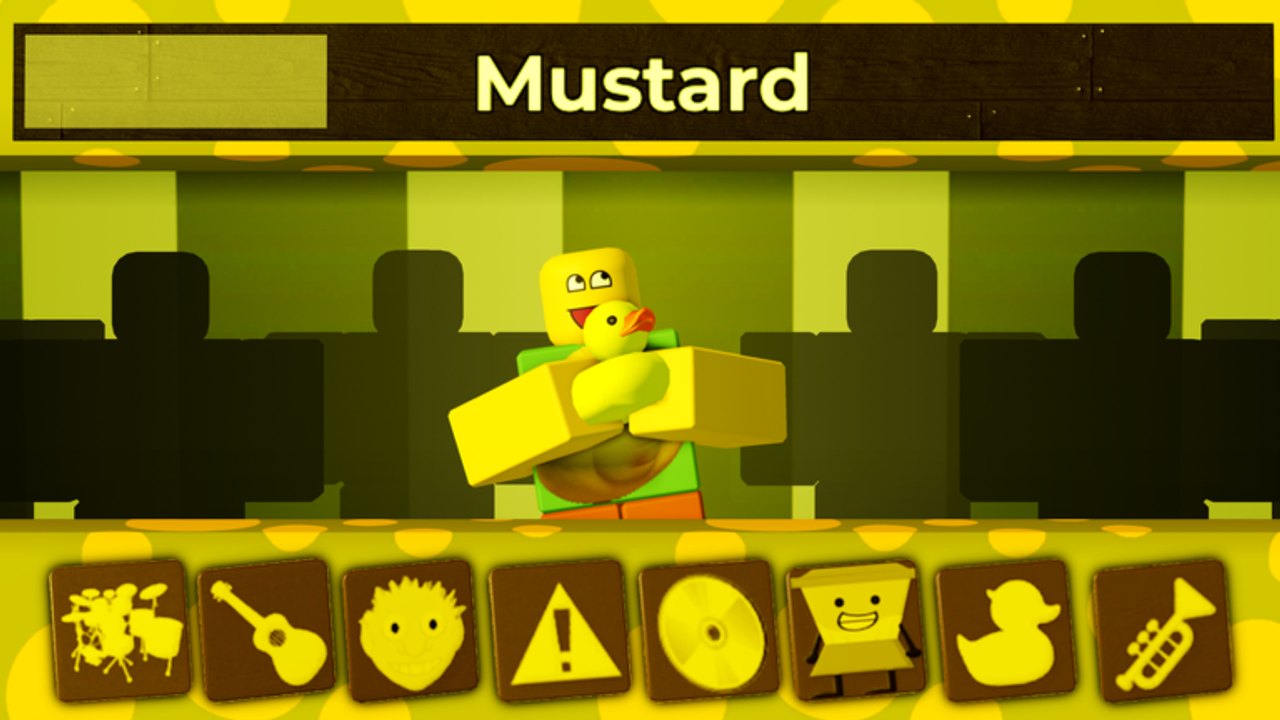
Incredible Blox uses one verb on every platform: pick up an instrument icon and drop it on a dummy. Mute, solo, and remove happen when you hover that dummy. Mods change from a menu. VIP / DJ can instant-start some instruments. If the loop itself is still fuzzy, read how to play first; this page is only the hands.
Face-button labels vary by controller skin and Roblox’s current gamepad map. This wiki will not invent a fake “press X to solo” binding. If a control does nothing, highlight the dummy more carefully before you assume the mod is broken.
PC mouse
Desktop is the clearest teacher because the cursor is small.
| Action | PC input |
|---|---|
| Pick up an icon | Left click and hold |
| Drop onto a dummy | Drag onto the dummy, then release |
| Hover a dummy | Rest the cursor on the dummy |
| Mute / solo / remove | Use the hover actions on that dummy |
| Switch mods | Open the mod menu and select a set |
| Instant-start (VIP / DJ) | Drop the same way; it speaks sooner |
If clicks hit the Roblox menu instead of an icon, click back into the experience. A custom cursor from Set Cursor Image only changes the picture, not the hitbox.
Mobile touch
Touch replaces the mouse. Your finger is a larger cursor, so empty space around icons matters.
| Action | Touch input |
|---|---|
| Pick up an icon | Press, hold, then drag |
| Drop onto a dummy | Slide onto the dummy, then lift |
| Hover a dummy | Rest a finger until actions appear |
| Mute / solo / remove | Tap the hover action |
| Switch mods | Open the mod menu, then tap a set |
Accidental drops are normal. Remove the wrong dummy instead of restarting. Landscape usually gives the tray more room than portrait. If UI scale eats the hover buttons, hide extra Roblox chrome and try again.
Console gamepad
Console uses a pointer driven by the stick, plus a confirm hold to drag. Roblox may remap faces; treat the table as families, not an Xbox tattoo.
| Action | Gamepad family |
|---|---|
| Move the pointer | Left stick (or the stick assigned to cursor) |
| Highlight | Rest the pointer until it lights up |
| Pick up an icon | Hold confirm while highlighted |
| Drop onto a dummy | Keep holding, move onto the dummy, release |
| Hover actions | Highlight the dummy, then mute / solo / remove |
| Switch mods | Open the in-experience menu, then select a set |
If the pointer glides over icons without grabbing, you are tapping confirm instead of holding it through the drag. Lower cursor sensitivity if the pointer is too fast.
VR
VR is supported on the live place. Point at an icon, grip or trigger to hold it, and release over a dummy. Hover actions still need the pointer to rest on the dummy long enough for mute, solo, and remove to appear. Stand so the whole row is in view. Seated play is enough — this is a mixer, not a locomotion title. Remap the headset grip if the Roblox system menu keeps eating drops.
Dummy hover actions
Every platform shares three dummy verbs:
- Mute — the stem stays assigned but silent. Use it to A/B the mix.
- Solo — hear only that dummy. Use it to identify an icon you forgot.
- Remove — free the dummy when the part is wrong, not when you are merely curious.
If hover actions never appear, you are targeting the floor, the tray, or another player’s dummy in a crowded multiplayer row. Wait until your cursor is visibly on your dummy. Clearing someone else’s stem is the fastest way to end a session.
Switching mods and VIP instant-start
Mods swap from the in-game menu, not from a hidden teleport. Switching sets usually rebuilds the tray; do not switch mid-bar if friends are recording. Instant-start instruments, unlocked with VIP / DJ, speak sooner after a drop. They still need a legal dummy. They are not a separate control scheme.
Plan drums versus vocals on the pad layout tool so extra VIP rows do not duplicate bindings in your head. The hands stay the same: drag, hover, cut.
When a control “does nothing”
Work this list in order. It is faster than rejoining.
- Click or tap back into the experience so Roblox chrome is not stealing input.
- Confirm the pointer highlight on the icon before you drag.
- Release only when the dummy itself is highlighted.
- If the dummy is full, remove or choose another dummy.
- If hover actions are missing, rest longer on touch, slow the stick on console, or move closer in VR.
- If only extra rows refuse drops, you are on default rows; VIP / DJ expands to four dummy rows.
Still stuck? The mix is fine; the input is not. Stay on Mustard or Kats, one row, until a single drag succeeds twice in a row. Then go back to how to play and ignore every other wiki page until that drag is boring.
Frequently Asked Questions
Quick answers to the most common Incredible Blox questions.
Does mobile use different mix rules than PC?
No. Touch replaces the mouse. The dummy still needs a dropped icon, and mute / solo / remove still live on hover.
Why will my gamepad not pick up icons?
Hold confirm through the whole drag. A tap highlights; a hold carries the icon. Close the Roblox overlay if it stole the button.
How do I mute a dummy in VR?
Point at the dummy until hover actions appear, then select mute. If nothing appears, you are pointing at the floor or another dummy.
Do VIP instant-start instruments use special buttons?
No. You drop them the same way. They only begin sounding sooner. Extra dummy rows still require the VIP / DJ pass.
Someone else is grabbing my dummy. What now?
That is a lobby problem, not a binding problem. Read multiplayer and agree on rows before the next drop.