
How to Play Incredible Blox
Choose a mod, drag icons onto dummies, layer beats and vocals, then mute, solo, and share the loop.
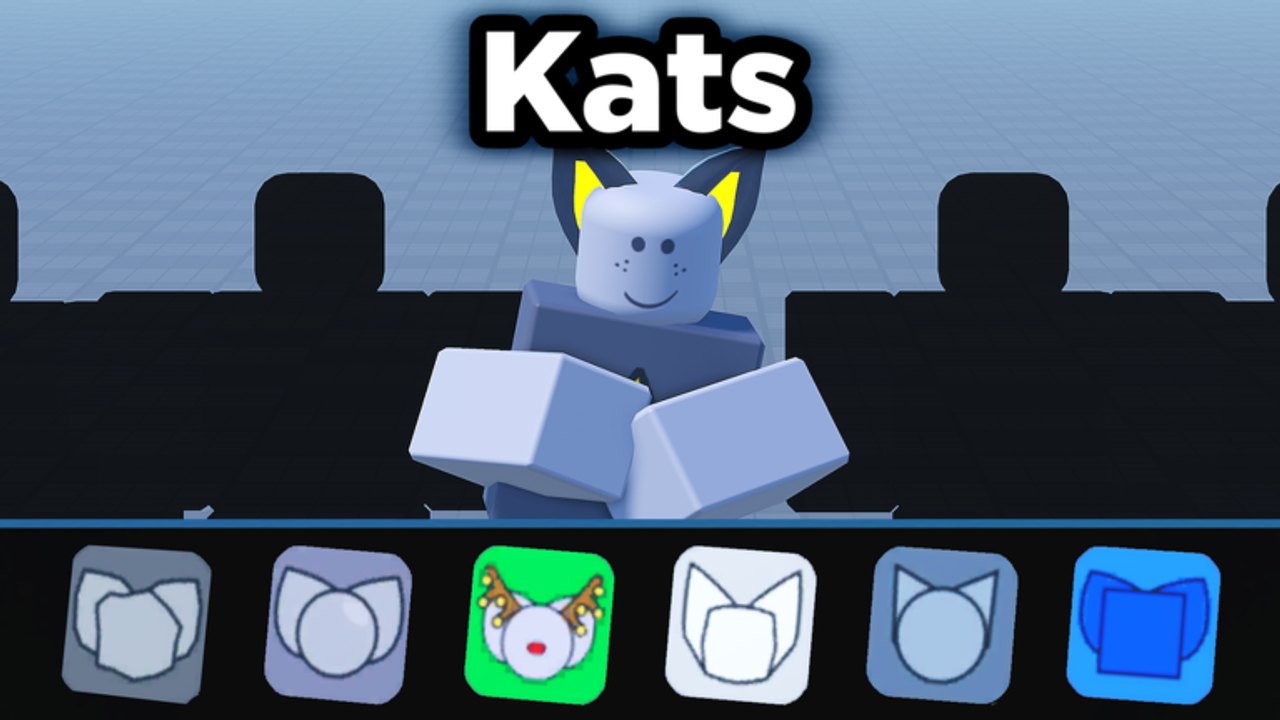
Playing Incredible Blox is one loop with extra rooms attached. You choose a mod, drag instrument icons onto dummies, layer beats under melodies under vocals, then mute, solo, or remove until the loop feels like a song instead of a pile. VIP rows, secret cinematics, and eight-player etiquette only modify that loop. If you have not joined yet, start with getting started and come back.
The core loop
- Pick a mod from the in-game menu.
- Drag one icon onto an empty dummy and let a full bar play.
- Add a second icon from a different family.
- Hover dummies to mute, solo, or remove while you listen.
- Keep going until the mix has a beat, a middle, and a voice — or until adding more would hide those three.
- Sit with the loop. Share the vibe in the lobby, record on your device if you want a clip, then either hunt a bonus or switch mods.
That is the whole game. Horror sets, VIP variants, and user outfits change the costume. They do not change the verb: drag, listen, cut.
Choose a mod like you choose a key
Each mod is a self-contained pack with its own palette, dummy look, and pad set. Kats and Mustard Colorbox stay readable while you learn. Denser packs — the kind a fifth playthrough tends to tour — ask you to hear icon families before you fill the tray. Sprunked, Next, Fiddlebop, and Planet Mountain Dew reward that patience. 1996, Deadline, Somniphobia, and Terrors reward it too, but they also spend attention on scare pacing.
Finish one loop far enough that you could rebuild it from memory, then switch. The mods tier list is useful after you have opinions; it is noise before a single chill mix.
Drag icons onto dummies
Icons live in a tray. Dummies stand in rows. Grab an icon, move it onto a dummy, release. On PC that is mouse drag-drop. On mobile it is touch. Console uses a gamepad pointer. VR uses the headset’s pointing convention. The dummy takes the stem and starts performing it on the loop.
If the icon snaps back, you missed the dummy or that slot is occupied. Remove the old stem or pick a free dummy. VIP / DJ instant-start instruments skip some of the wait-for-the-bar feel; they do not skip aiming.
Think in families, not in “more.” A useful first stack is beat, then bass or percussion, then a melody, then a vocal. Two vocals with no kick is a choir demo, not a mix.
Layer beats, melodies, and vocals
Listen in layers:
- Beats hold time. If the kick disappears, the rest of the row will feel drunk.
- Effects and percussion decorate. They are the first thing to mute when the mix clouds.
- Melodies give a tune you can hum. One strong lead beats three leads arguing.
- Vocals and chorus sit on top. Add them last so you still know whether the bed works.
When a new pad fights the loop, solo that dummy. If it is interesting alone and wrong in context, it is the wrong family, not a missing fourth row. Remove it and try a quieter icon from the same tray.
VIP / DJ extra rows let you separate families: drums, harmony, vocals, wild cards. Sketch that on the pad layout tool before you host. If you already know the vibe — mustard bounce, mountain-dew neon, a somber 1996 bed — the mix planner is the brief you can actually follow in a lobby.
Mute, solo, and remove
Hover a dummy. Mute it to hear the mix without that stem. Solo it to hear only that stem. Remove it when you already know it does not belong. These three actions are how you debug. They are also how you perform: mute a vocal for four bars, bring it back, solo a break, drop the effect that was masking the kick.
If you cannot find mute or solo, you are not hovering the dummy, or your platform pointer is not locked on it. Fix aiming before you blame the mod.
Record and share the vibe
Incredible Blox is a sandbox, not a DAW with one official bounce button. Share the vibe in the room: leave the loop running, let friends hear the drop, take a device recording or a Roblox clip if you want a file.
When the loop feels finished, stop adding. If every dummy is shouting, mute half the row. If the song gets better, you were done two pads ago.
A practice drill, not a new genre
Run this drill on Kats or Mustard before you touch a horror pack. Eight bars of beat only. Eight bars with one melody. Eight bars with one vocal. Mute the vocal for eight. Solo the melody for eight. Remove the melody and replace it with a different icon from the same family. If you can do that without panic, you know how to play Incredible Blox. Everything after that is taste, roster knowledge, and whether you will let seven other people touch your kick.
Frequently Asked Questions
Quick answers to the most common Incredible Blox questions.
What is the core loop in one sentence?
Choose a mod, drag icons onto dummies, layer beat then melody then vocal, and mute or solo until the loop is a song.
Should I fill every dummy?
No. Stop when adding another icon hides the kick or the lead. Empty pads are arrangement, not failure.
When do I use mute versus solo versus remove?
Mute to test the mix without a stem. Solo to inspect that stem. Remove when you already know it does not belong.
Do extra VIP rows change how you play?
They let you separate families across up to four dummy rows. Plan that on the pad layout tool or you will clone the same snare four times.
Where do I rank mods after I can mix?
Use the tier list once you have finished at least one chill loop and one denser pack. Rank from play, not from thumbnails.
I have not joined yet. Is this the first page?
No. Use getting started for the join and first-mod plan, then return here for the loop.