
Incredible Blox Pad Layout
One dummy row versus four: VIP extra rows, mobile thumb reach, and a chaos row you can mute without killing the groove.
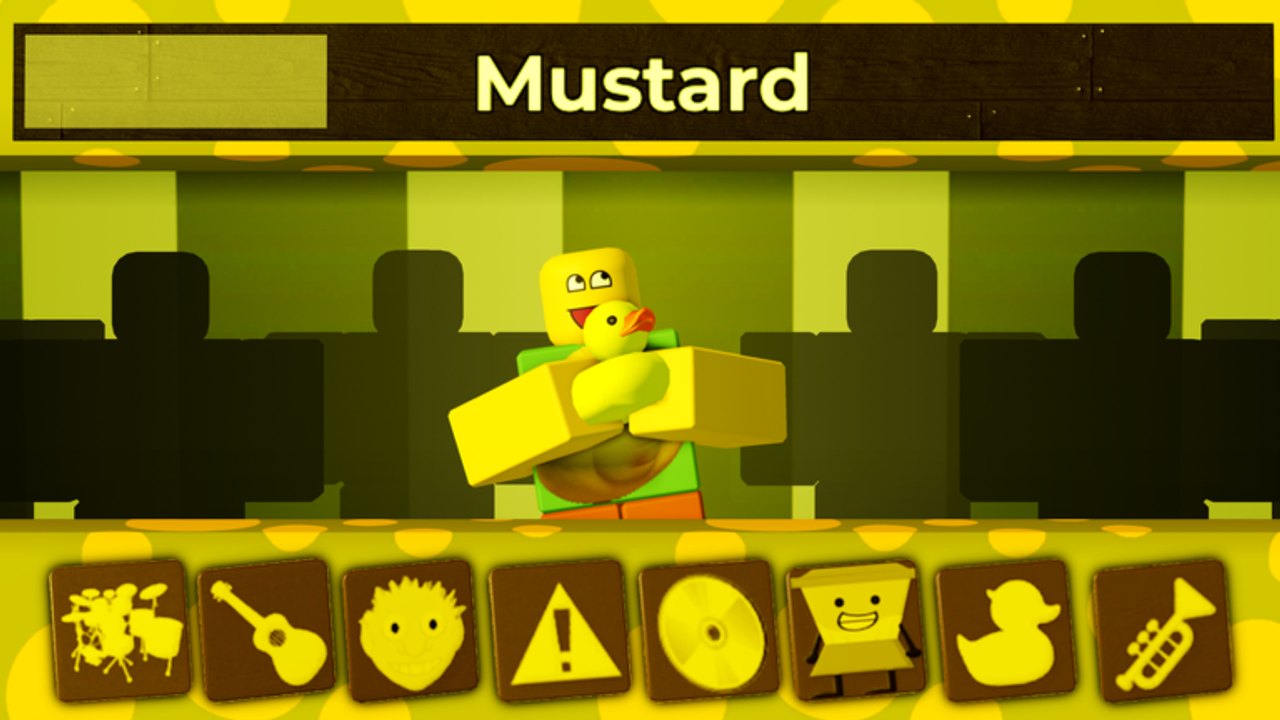
Pad layout is the seating chart for Incredible Blox. The mix planner tells you what to layer; this page tells you where those layers sit on dummy rows so you can mute, reach, and hand roles to friends without a fistfight. Read gamepasses if you are deciding whether VIP / DJ is worth 200 Robux, and controls for the actual drag, tap, and gamepad motions.
Incredible Blox is an Incredibox-style sandbox: instrument icons live on a strip, dancing dummies wear those loops, and extra rows multiply how many loops can run at once. The official Roblox page advertises 4 instrument rows as a sandbox bonus. Free mixers should plan as if they own one dummy row. VIP / DJ owners should plan four dummy rows and then have the discipline not to fill them with copies.
One dummy row versus four
One-row (free) layout. Imagine a single horizontal strip of dummies. Every role competes for the same mute gesture. Recommended order from easiest-to-reach toward the edge:
- Drums (center or strongest thumb zone).
- Bass (next to drums, so the bed mutes as a pair if needed).
- Melody (one icon, not a chord of clones).
- Vocal gag (parked where you can rip it off fast).
- Spare / FX (the far slot — this is your chaos row even when you only have one row).
On one row you cannot isolate a whole role onto its own dummy line. You isolate by icon position. If the gag sits in the middle, you will accidentally mute drums while hunting the joke. Put the joke on the edge.
Four-row (VIP / DJ) layout. Extra dummy rows change arrangement from a strip into a grid. Suggested map:
- Row 1 — drums. Kick plus one hat or percussion cousin. Never a vocal.
- Row 2 — bass. One low bed. If the palette has two basses, pick the rounder one and leave the other in the box.
- Row 3 — melody. Guitar, synth, or motif. Orin Ayo belongs here, not doubled onto row 4.
- Row 4 — chaos / gag. Vocals, screams, soda ads, horror stingers. This row must be mute-able as a unit so the bed on rows 1–3 survives.
VIP extra rows do not mean four drum rows. They mean you can keep a clean bed while row 4 experiments. That is the whole pass. User Instruments (150 Robux) changes who the dummy looks like, not how many rows you have. Set Cursor Image (85) is cosmetic reach, not layout.
How VIP extra rows change arrangement
Without VIP, adding a new idea means replacing something. With VIP, adding a new idea means occupying row 4 and leaving rows 1–3 untouched. That sounds obvious until an eight-player lobby treats every empty dummy as a vacancy. House rules help:
- One mixer “owns” row 1 drums. Nobody else drops kicks.
- Row 4 is public chaos, but anyone may mute it without asking.
- If a mix planner role is already filled, the next mixer plays rest, not a clone.
VIP variants of palettes (Deadline and Planet Mountain Dew were shown with VIP versions in the December 2025 community video) may add extra pad sheets on top of extra rows. Still apply the same map: new sheets feed row 4 first. If a VIP sheet is just “more drums,” ignore it.
Mobile thumb reach
Most Incredible Blox visits happen on phones. Thumbs pivot from the bottom corners. Layout for reach, not for desktop symmetry.
- Put drums and mute in the strongest thumb zone (usually lower-center of the pad strip).
- Put gag / chaos toward the edge you can still swipe, but not so far that a miss-tap hits drums.
- On four rows, treat row 4 as the farthest from your resting thumb if chaos should be hard to bump, or closest if you are the designated mute person.
- Landscape helps. Portrait compresses dummy rows into a stack that is easy to mis-tap; if you mix seriously, rotate.
- Console and VR inherit the same logic: bind mute of the chaos row to the easiest control, documented on controls.
If a friend on PC keeps parking gags in your thumb’s kick zone, say so. Layout is social.
Keep a mute-able chaos row
Every good Incredible Blox session has a place where messy experiments go to live and die. On one row, that is the far dummy. On four rows, that is row 4. Rules:
- Chaos may hold the vocal gag, horror stingers, and “what does this pad do?” tests.
- Chaos may be emptied at any time. No arguing.
- Chaos never holds the only drum. If you mute chaos and the song disappears, you buried the bed in the wrong row.
- When hunting secret songs, chaos is also where you park the last experimental icon so you can pull it without undoing a four-minute groove.
Screenshot your layout once it works. Incredible Blox will not save a DAW project for you. A photo of four labeled rows is more useful than a memory of a lucky Mustard take.
Reach and mute discipline beat extra Robux. Four dummy rows only help if row 4 can vanish in one gesture while drums keep walking.
Frequently Asked Questions
Quick answers to the most common Incredible Blox questions.
How many dummy rows do free Incredible Blox players get?
Plan for one dummy row. The Roblox page advertises four instrument rows as a sandbox bonus tied to VIP / DJ extras. See gamepasses.
What should each VIP row hold?
Row 1 drums, row 2 bass, row 3 melody, row 4 chaos or gag. Do not clone drums across all four. The mix planner assigns those roles.
Why keep a chaos row?
So you can experiment and mute the mess without killing the bed. On one row, that is the far dummy. On four rows, that is row 4.
How should mobile mixers place pads?
Drums in the strongest thumb zone, gag toward an edge you can still swipe, chaos where a miss-tap will not wipe the kick. Rotate to landscape when you can. Input maps are on controls.
Does User Instruments add rows?
No. User Instruments (150 Robux) changes dummy outfits / friend instruments. Extra rows come from VIP / DJ (200 Robux).
Is this pad-layout page a software overlay?
No. It is a seating chart you apply inside the Roblox lobby. Nothing to download.