
Incredible Blox Mobile, Console, and VR
Touch drag, gamepad pointer, and headset rays — plus why four VIP rows fight a thumb.
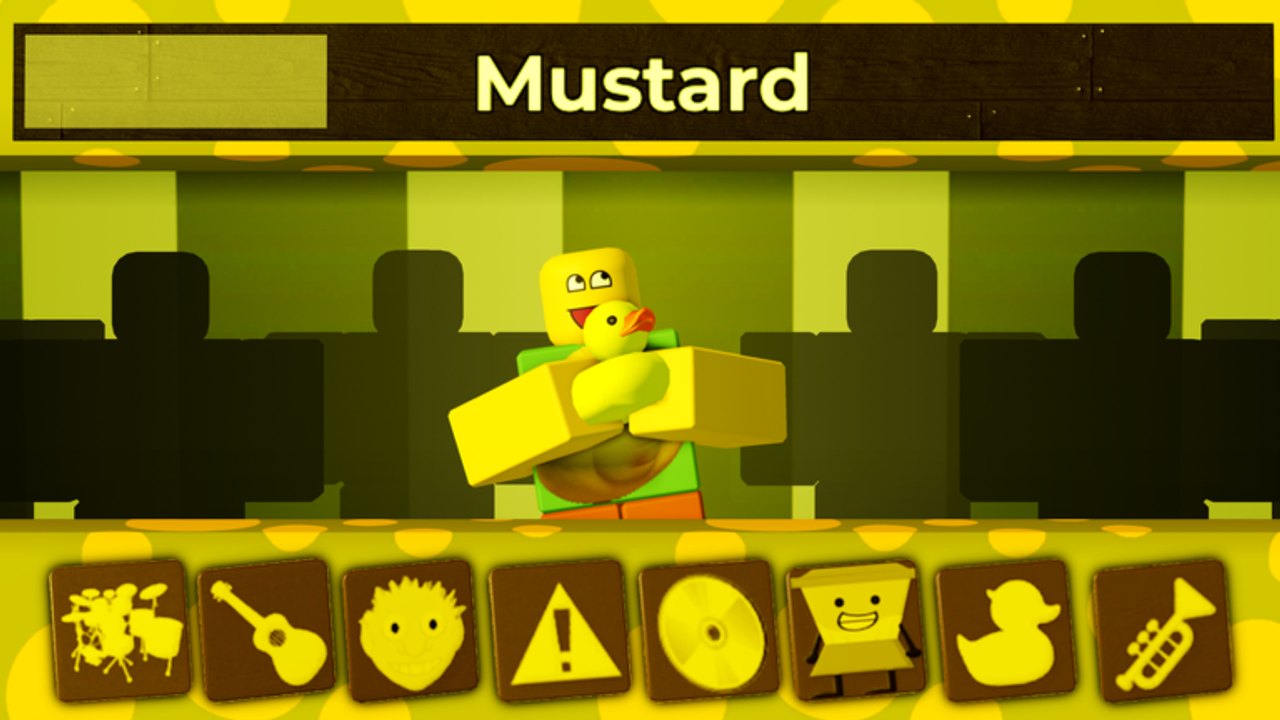
The official Incredible Blox Roblox page still prints PC, Mobile, Console & VR supported. That line survived the 7 Jul 2026 storefront refresh. The mix is the same on every device: pick up an instrument icon, drop it on a dummy, hover to mute, solo, or remove. What changes is the pointer. A mouse is small. A thumb is fat. A gamepad is a stick-driven cursor. A headset is a ray. This page is the device layer. The loop itself lives on how to play. The binding tables live on controls.
Touch drag on phones and tablets
Touch replaces the mouse. Press, hold, then drag an icon onto a dummy and lift. Rest a finger on a dummy until mute, solo, and remove appear, then tap the action. Landscape usually gives the tray more room than portrait. If Roblox chrome eats the hover buttons, hide extra UI and try again.
Accidental drops are normal. Remove the wrong dummy instead of resetting the row. Mustard Colorbox is a better first phone mix than Deadline because you can see whether you hit the dummy. If icons appear but audio does not, check Roblox volume before you assume a pad is broken.
Fat-finger mute
Your thumb is larger than a desktop cursor. Hover actions sit on the dummy, not in a distant toolbar. That is how fat-finger mute happens: you meant to silence a joke vocal and you muted the kick, or you meant to solo and you removed.
Rest longer than you think you need before you tap mute. Put drums in the strongest thumb zone and gag stems toward an edge, the way the pad layout seating chart describes. If you hit the wrong action, undo with the opposite hover instead of wiping the stage. Rotate to landscape when the hover buttons shrink into each other.
Fat-finger mute is a layout problem, not a skill issue. A friend on PC who parks gags in your kick zone is part of the problem. Say so in chat.
Console pointer
Console uses a pointer driven by the stick, plus a confirm hold to drag. Face-button labels vary by controller skin and Roblox’s current gamepad map. This wiki will not invent a fake “press X to solo” binding.
Move the pointer onto an icon, hold confirm, keep holding while you travel to the dummy, then release. If the pointer glides over icons without grabbing, you are tapping confirm instead of holding it through the drag. Lower cursor sensitivity if the pointer is too fast. Close the Roblox overlay if it stole the button. A moving stick is not a hover. Stop, wait, then mute.
VR, as the official page actually claims
VR is supported on the live place. Point at an icon, grip or trigger to hold it, and release over a dummy. Hover actions still need the ray to rest long enough for mute, solo, and remove to appear. Stand so the whole row is in view. Seated play is enough — this is a mixer, not a locomotion title.
VR does not change dummy count, gamepass prices, or the eight-mixer cap. VIP / DJ is still 200 Robux for up to four dummy rows and instant-start instruments. User Instruments is still 150. Set Cursor Image is still 85. If VR stutters, lower graphics quality and reduce dummy count. Typical PC executors do not attach to a headset.
Why VIP extra rows are harder on a phone
VIP / DJ expands dummy rows up to four. On a desktop monitor that is a grid. On a phone that is four strips of tiny dancers plus a tray, all under one thumb. Extra rows do not add extra fingers.
Free mixers should plan as if they own one dummy row. VIP owners on phones should still mix like they own two: drums and bass on the reachable rows, melody if it fits, chaos only if they can mute it as a unit. The pad layout map (row 1 drums, row 2 bass, row 3 melody, row 4 chaos) is a desktop gift. On a phone, treat row 4 as optional. Filling it because you paid 200 Robux is how a Mustard loop becomes a wall.
Instant-start is louder manners on touch because you cannot hover-abort as cleanly as a mouse. If you did not mean to drop it, remove it.
Eight mixers, one small screen
Online co-op still supports up to eight people. Cursors are visible. On a phone those cursors are harder to tell apart, which is the only good argument for Set Cursor Image (85 Robux). Read multiplayer before you host from a handheld: do not wipe a row you did not build, call the mod before you switch it, and leave a dying mix by removing your dummies.
Public rooms plus portrait mode plus four VIP rows is chaos with extra lag. Host friends, rotate landscape, and stop at two occupied rows until the group can mute without punching the kick.
A successful phone, console, or VR session is one accurate drag, one clean mute, and a loop you could rebuild with a mouse later. If extra VIP rows only exist as cramped targets under your thumb, leave them empty. Incredible Blox grades you for a mix you can still aim at, not for filling a grid.
Frequently Asked Questions
Quick answers to the most common Incredible Blox questions.
Does Incredible Blox really support mobile, console, and VR?
Yes. The official Roblox page advertises PC, mobile, console, and VR. The mix is the same drag-onto-dummy loop; only the pointer changes. Bindings are on controls.
How do I drag icons on a phone?
Press, hold, then drag onto a dummy and lift. Rest a finger until mute, solo, and remove appear. Landscape is usually easier than portrait. The loop itself is on how to play.
What is fat-finger mute?
Your thumb hits mute, solo, or remove on the wrong dummy because hover actions sit on the dancer. Rest longer, put drums in the strongest thumb zone, and use the pad layout seating chart.
Why are VIP extra rows harder on a phone?
Four dummy rows shrink into tiny targets under one thumb. Extra rows do not add extra fingers. Plan one or two reachable rows and leave row 4 empty unless you can mute it as a unit.
How does the console pointer work?
Move the stick onto an icon, hold confirm through the whole drag, release on the dummy. A tap highlights; a hold carries. Stop the stick before you mute.
Any special rules for hosting from a phone?
Yes. Visible cursors are harder to tell apart. Read multiplayer, host friends instead of a public pile, and do not wipe a row you did not build.